

SnapSave has been one of the better-known free Facebook video download tool for years, and for most public videos it does the job. But it has bad days. You paste a link and the page sits there spinning. Or it loads, returns nothing, and gives you no reason. Or the site itself will not open at all.
If you are only trying to save one video, working out why is not a good use of your afternoon. Having a second tool ready is faster. Below is what actually causes these failures, then five free alternatives, starting with the one worth making your default.
Why SnapSave Sometimes Fails
The failures split into a few recognisable categories, and knowing which one you are looking at tells you whether to retry or switch:
- The content is not public. SnapSave handles public videos, Reels, and Stories while they are live. It does not handle private videos or anything that needs a login, so a closed-group post will never parse no matter how many times you try.
- Facebook changed something. Every downloader reads Facebook’s pages, so when Facebook adjusts how it serves video, tools break until they catch up. If everything fails at once, waiting is the only fix.
- The page interfered. SnapSave carries premium-style prompts, and clicking the wrong thing lands you somewhere other than a download. Reddit users have reported small verification charges turning into recurring ones, so the plain download flow is the only part of the page worth touching.
- The site is unreachable. Security scanner Gridinsoft gives snapsave.app a trust score of 10 out of 100 and flags it as suspected phishing, and there is no company information or contact address on the site. Some networks and browser filters block it on that basis.
- You are on the wrong site. snapsave.app and snapsave.io are separate sites run by separate operators, and there are further copies on .cc, .blog, and .onl domains. A review of one tells you nothing about another.
FvidGo
What Is FvidGo
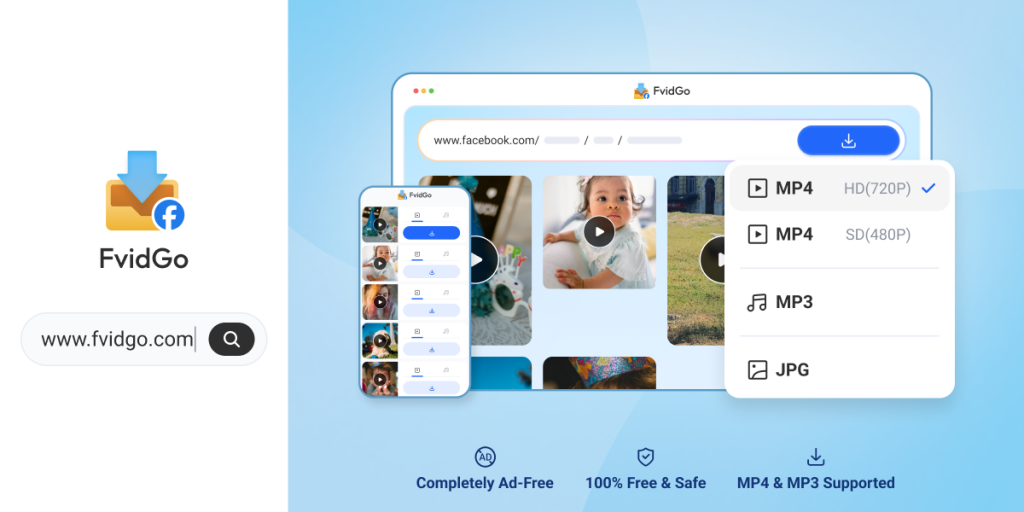
FvidGo is a free online Facebook video download tool that runs in your browser. Nothing to install, no account to create, and no limit on how many videos you save. You paste a Facebook link, the page reads the post, and the download options appear.
Its coverage is what separates it from most single-purpose sites: feed videos, Watch, live replays, Reels, Stories before they expire, private videos you have access to, whole photo posts, and MP3 audio each have their own entry point rather than sharing one generic parser. So Facebook Reels download does not share a parser with the feed video page.
Key Features
- High parse success rate, and fixes land server-side with nothing for you to update
- Covers feed videos, Reels, Stories, private videos, photos, and MP3 audio
- Dedicated pages per content type, so a Story link and a Reel link go to the right parser
- Whole photo posts download at once instead of saving each image by hand
- Resolution up to 1080p with SD and HD both shown, so you pick the file size
- Unlimited free downloads, no registration, no daily cap
- A clean page with no ads, so there are no fake download buttons to misclick
- Nothing kept on the server: no files stored, no download history logged
How to Use FvidGo
- Copy the link to the post. In the Facebook app, tap the three dots at the top of the post and choose Copy link. On a computer, open the post on its own page and copy the address bar. Do not copy from a fullscreen player — that often produces a URL a parser cannot read.
- Go to fvidgo.com and paste it in. If you are saving a Story, a private video, or photos, use that content type’s own page rather than the general video one.
- Pick SD or HD and download. On Android the file lands in your gallery or Downloads folder. On iPhone, Safari puts it in Files under Downloads, and the share button’s Save Video option moves it into Photos. On a computer it goes to your downloads folder and opens in any standard player.
Why FvidGo Is the Better Default
Three things address the failures above directly rather than working around them.
The first is that private content is handled instead of refused. The most common permanent failure with a public-video-only tool is a link from a closed group or a restricted post — you can watch it, the tool cannot read it, and retrying changes nothing. FvidGo has a dedicated private-video entry point with a high link recognition rate, and it never asks for your Facebook password to use it. Facebook story download sits on its own page for the same reason, which matters when the content expires within a day.
The second is that there is nothing on your side to go wrong. Because it runs in the browser, there is no version to be out of date, no cache holding stale parsing data, and no storage permission that a system update quietly revoked. When Facebook changes something, the fix is applied server-side and you get it by reloading the page.
The third is the page itself. A large share of what people experience as a failed download is a mis-click on an ad styled to look like a download button. There is no advertising here, so the button you see is the button, with no premium prompts or verification steps in the way — plus unlimited free downloads with no account and nothing retained on the server afterwards.
Alternatives Worth Trying
If FvidGo is not what you want, these four are the reasonable fallbacks. Having more than one is the practical answer, because different tools fail on different links.
Snaptube
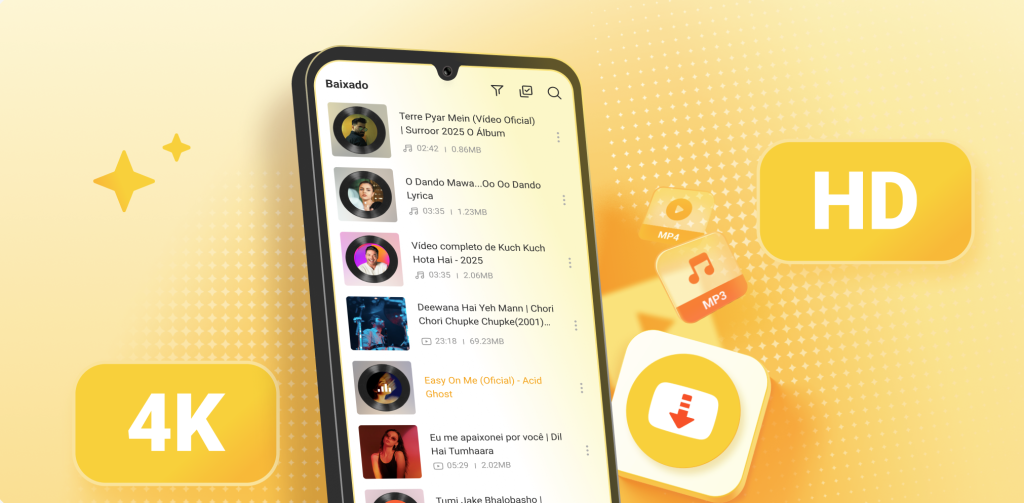
Snaptube is an Android app rather than a website, which is the right trade-off if you save video often enough that an install pays for itself. It covers more than 100 platforms including Facebook, Instagram, Twitter, WhatsApp, Pinterest, Vimeo, and Dailymotion, plus general detection of video embedded in ordinary web pages. Resolutions run from 144p to 8K depending on the source, and output can be MP4, MP3, or M4A.
For reliability specifically, the monthly release cadence is the relevant fact — a broken parser gets fixed in weeks rather than never. Batch and full-playlist downloads run in the background with pause and resume, so an interrupted large file continues rather than restarting, and a built-in player and library make a “downloaded but no file” problem immediately visible. It installs from the official site or from Xiaomi GetApps, Huawei AppGallery, OPPO App Market, vivo V-Appstore, HONOR App Market, Samsung Galaxy Store, and Palm Store; it is not carried on Google Play. Around 20MB, storage permission only, completely free with no subscription.
Snapsave.io
Snapsave.io is the other site in the confusing naming family — a separate operation from snapsave.app with its own pages and its own operator. It handles public Facebook videos and Reels, supports 1080p, and needs no install or registration. It also has dedicated pages for saving a post as MP4 or pulling out the MP3, which is useful if audio is what you actually want.
Its traffic has been climbing steadily, up around 35% month on month, which is a reasonable sign that someone is actively maintaining it. Against that: it does not support private videos or closed groups, and there is no photo download. Its Trustpilot rating sits at 2.9 on a small sample, there is no company registration information on the site, and Reddit carries the same style of complaint as its namesake about a one-cent verification charge becoming a recurring one. Treat it as a public-video fallback and stay on the plain download flow.
FDownload
FDownload (fdownload.app) has the widest content coverage of the browser-based alternatives here. Public videos, Reels, Stories, and MP3 extraction are all supported, and there is a separate page for private videos that claims to handle closed groups and pages. It supports 1080p, downloads come with audio, and no registration is needed.
Covering Stories and private content puts it ahead of most purely web-based Facebook tools, which stop at public posts. Two caveats. Its traffic and search ranking have been falling for several months, down almost 19%, which is worth knowing about a site you are relying on. And the actual success rate of its private-video page is unverified. Note also that fdownload.app, fdownloader.net, and fdown.net are three different sites with nearly identical names — check which one you have open.
BitDownloader
BitDownloader (bitdownloader.io) is a general-purpose downloader that happens to include Facebook rather than specialising in it. One input box handles Facebook, Instagram, TikTok, Twitter, Vimeo, Twitch, and SoundCloud, each with its own page. It is free with no registration and no stated limit, supports 1080p, and outputs MP4.
The breadth is the point — if you save from several platforms it is one bookmark instead of five. It also offers a bookmarklet that triggers a download from the page you are already on. On Facebook it handles public videos only, with no Story, private video, or photo support, so its depth is well short of a dedicated tool. Its traffic is small at roughly 37,000 visits a month, trust scores are mixed, and there are enough “BitDownloader alternatives” articles around to suggest availability has been patchy. Reasonable as a third or fourth option.
What to Do When a Download Fails
Before concluding a tool is broken, four checks take under a minute between them:
- Re-copy the link from the post’s own menu. A URL grabbed from a fullscreen player or a share sheet is the most common cause of a failure that looks like a tool problem.
- Delete everything after the question mark. Facebook appends tracking parameters, and a long ?fbclid= string sometimes confuses a parser.
- Check the post is actually public. If it is in a closed group or on a restricted profile, you need a tool with a private-video entry point, not a different public-video site.
- Try one lower quality. If the download starts and stalls, or arrives silent, the top tier may be served as separate audio and video streams. SD usually returns a complete file.
Which Tool Should You Use?
FvidGo is the straightforward default: it covers every Facebook content type including private videos and whole photo posts, needs no install or account, shows you an SD and HD choice, carries no advertising, and keeps no record of what you saved. FDownload is the closest browser-based alternative on coverage, with the caveat that its traffic is declining. Snapsave.io works for public videos and Reels and is the better-maintained of the two snapsave-named sites. BitDownloader suits you if Facebook is one of several platforms you save from. Snaptube is worth the install if you download regularly on Android and want batch queueing, a built-in player, and background transfers.
The post SnapSave Not Working? Best Facebook Downloader Alternatives in 2026 appeared first on Vanguard News.