

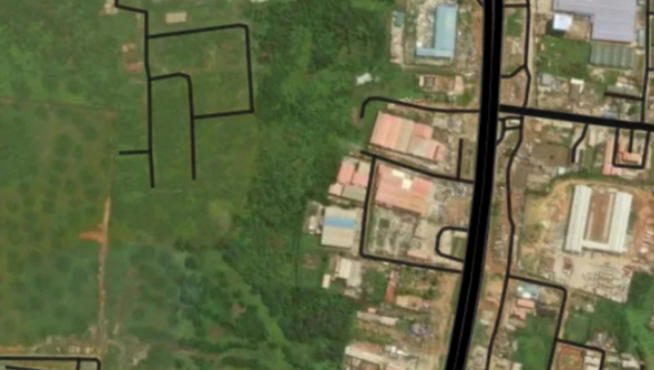
Nigerians can now find their home addresses and digital postcodes in Nigeria through the Federal Government’s National Digital Alphanumeric Postcode System, launched nationwide by the Nigerian Postal Service (NIPOST) on October 1, 2026.
The system assigns an 11-character alphanumeric code to each addressable building to make it easier to identify locations for deliveries, logistics and other services.
Residents can search for their properties, check available address details and request corrections where information is missing or inaccurate.
Here are six steps to find your home’s digital postcode.
1. Open the official postcode website
Visit postcode.gov.ng and select the option to find a postcode.
You can also access the NIPOST Postcode application through the official website.
2. Search for your address
Enter your house number, street name, neighbourhood or another detail that can help identify your building.
The platform also supports searches using place names, postcodes and aliases where available.
Check the search results and select the entry that matches your home.
3. Confirm the building on the map
Examine the map to ensure the selected location corresponds to your property.
Compare nearby roads, landmarks and neighbouring buildings before accepting the result. This is important because properties on the same street may have different postcodes.
Once you identify the correct building, check its details and retrieve the assigned code.
4. Check whether your name appears
Some building records include homeowners’ names because residents use them to identify properties, particularly in areas without clearly defined street addresses.
You can search for your name if it is commonly used to identify your property or inspect the building’s description.
However, your name may not appear even if your building is listed. The postcode identifies the building, not its owner or occupants.
5. Use your phone’s location or report a missing address
If you are near your home, enable your phone’s location service and allow the application to access it. Select “Find My Postcode” and identify your building among the nearby mapped properties.
If your building is missing, use the platform’s request process to submit its address and location details. A Google Maps link may help NIPOST identify the property.
For incorrect information on an existing listing, use the available correction option. Requests are subject to review before records are updated.
6. Save and share your postcode
After confirming the correct building, save the postcode for future use or share it when necessary.
The code can be used alongside your regular written address to help others identify your location.
According to the official platform, finding, saving and sharing a digital postcode is free. Always confirm that the code belongs to your intended building before using it for deliveries or other services.
The post Step-by-step guide: How to locate your home, check your name, address on Nigeria’s new postcode system appeared first on Vanguard News.